WordPress plugins can add almost any functionality to a website, from contact forms and SEO tools to ecommerce, caching and security features. Premium plugins can also introduce ongoing costs, which sometimes leads website owners to look for cracked WordPress plugins or nulled WordPress plugins instead.
At first glance, a nulled plugin may appear to offer the same functionality without the licensing cost. The problem is that the purchase price is only one part of the total cost of running a WordPress website. Updates, support, compatibility, security, incident response and recovery can become much more important over the lifetime of a site.
This guide compares premium WordPress plugins vs. cracked and nulled plugins, explains the security and reliability risks, shows practical indicators that a plugin may have been modified, and provides a safe process for replacing a suspicious plugin with a legitimate copy.
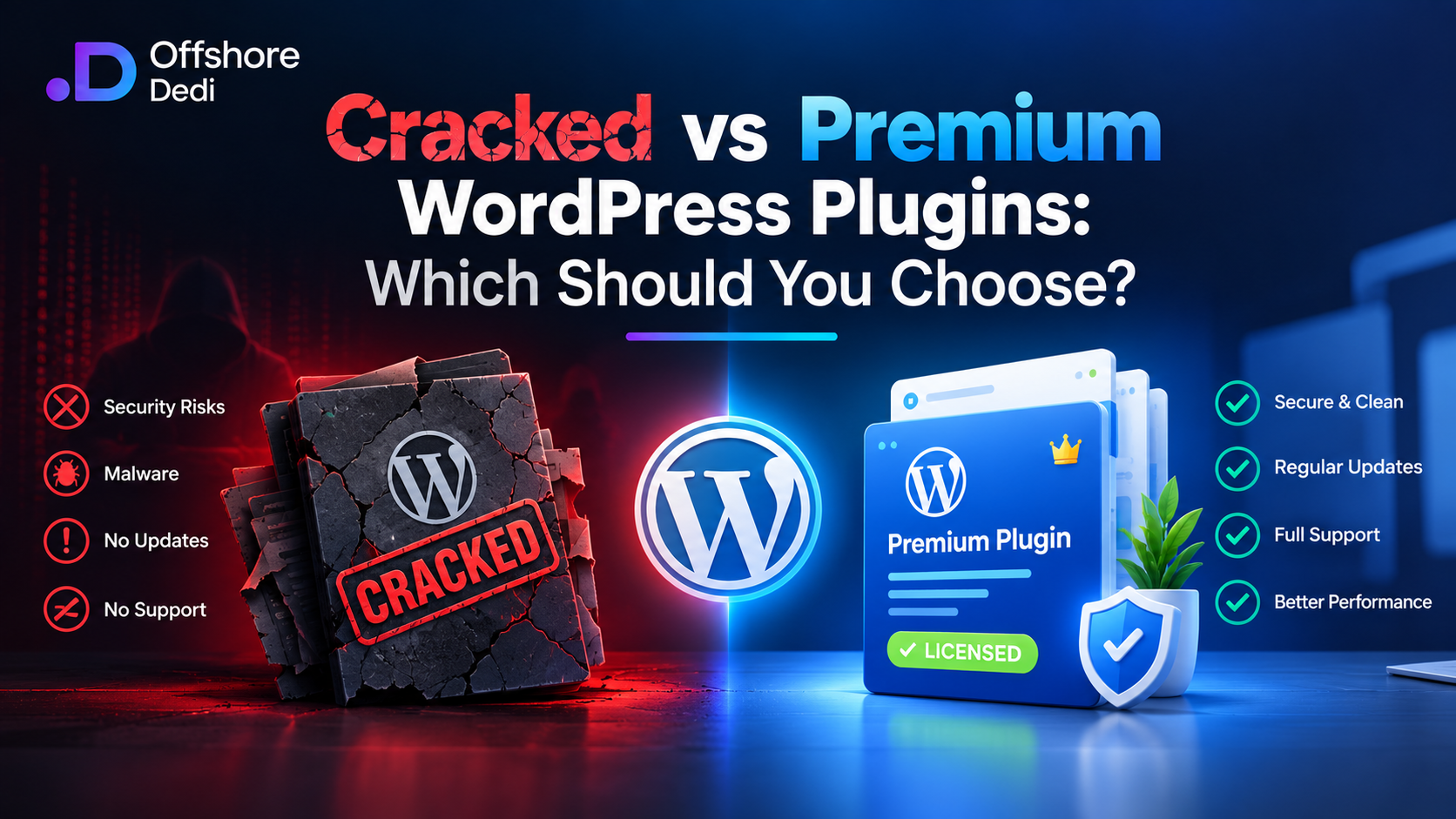
Premium vs. Cracked WordPress Plugins: Quick Comparison
| Factor | Premium Plugin | Cracked / Nulled Plugin |
|---|---|---|
| Initial cost | Usually requires a license or subscription | Usually distributed without the legitimate license cost |
| Official updates | Normally available through the developer or authorized update system | Official update channel may be unavailable, disabled or unreliable |
| Security assurance | Published and maintained by the original developer | Code may have been modified by an unknown third party |
| Technical support | Available according to the license | Usually unavailable |
| Compatibility | Tested and updated for supported WordPress/PHP environments | Compatibility and modifications are difficult to verify |
| Malware risk | Lower when obtained from the legitimate developer and kept updated | Higher because the integrity of modified code cannot be assumed |
| Long-term cost | Predictable licensing cost plus normal maintenance | Potentially includes security cleanup, downtime, recovery and troubleshooting |
| Legal/licensing position | Used according to the developer’s license | May violate the developer’s license or copyright terms |
The important distinction is not simply free vs. paid. It is whether you can verify the source, integrity, update mechanism and ongoing maintenance of the software running on your website.
What Are Premium WordPress Plugins?
Premium WordPress plugins are paid products developed and maintained by individuals, development teams or companies. Depending on the product, the license may provide access to the plugin itself, updates, technical support, additional features or a combination of these.
Premium plugins can provide advanced functionality such as third-party integrations, ecommerce features, analytics, SEO tools, caching, security controls and additional customization options.
The main advantage is not simply the additional functionality. A legitimate plugin gives you a known development source and a defined mechanism for receiving updates and support.
Why Updates Matter
WordPress websites consist of multiple components that need to work together, including WordPress core, themes, plugins, PHP and the underlying hosting environment.
A plugin that is maintained by its developer can receive changes for newly discovered security issues, WordPress compatibility problems, PHP changes and software bugs. That does not mean every premium plugin is automatically secure, but it gives administrators a legitimate maintenance path.
What Are Cracked and Nulled WordPress Plugins?
Cracked WordPress plugins are unauthorized copies of paid plugins that have been modified to bypass licensing or payment restrictions.
Nulled WordPress plugins is another term commonly used for unauthorized or modified copies of premium WordPress plugins. Searchers may use “cracked,” “nulled,” “pirated,” or similar terminology to describe these products.
These terms do not necessarily tell you exactly what modifications were made to a particular file. That uncertainty is part of the security problem: when software has been modified by an unknown party, the website owner cannot safely assume that the code behaves exactly like the legitimate release.
A nulled plugin may appear to work normally when installed. Malicious or unauthorized code does not necessarily produce an obvious error or immediately break the website.
For that reason, the question should not be only “Does the plugin work?” It should also be “Can I verify what code is running and where it came from?”
Security Risks of Cracked and Nulled WordPress Plugins
The biggest concern with unauthorized plugin copies is the loss of trust in the software’s integrity.
A legitimate plugin normally comes from a known developer and can be compared against an identifiable release. With a modified copy, the website owner may not know what was added, removed or changed.
1. Injected PHP Code
WordPress plugins commonly contain PHP code that executes on the server. A malicious modification can therefore potentially execute unauthorized instructions with the permissions available to the WordPress installation.
Suspicious PHP code may be hidden inside otherwise legitimate-looking plugin files. Obfuscated strings, unexpected dynamic code execution and unfamiliar files can be indicators worth investigating.
However, administrators should avoid deleting PHP code simply because it looks unfamiliar. Some legitimate plugins use complex or dynamically generated code. Compare suspicious files with a trusted original release or have them reviewed by an experienced WordPress security professional.
2. Unexpected Administrator Accounts
An unexplained WordPress administrator account is an important warning sign, particularly if the account was not created by an authorized site owner or administrator.
Review the users section of WordPress and check:
- Unknown administrator accounts
- Unexpected changes to existing administrator roles
- Recently created accounts
- Users with unfamiliar email addresses
- Accounts created around the time a suspicious plugin was installed
Do not assume that every unknown account was created by a plugin. Hosting compromises, stolen credentials and other vulnerabilities can also create unauthorized users.
3. Modified Plugin Files
Unexpected changes inside a plugin directory can indicate tampering.
Useful indicators include:
- New PHP files that are not part of the official release
- Unexpected changes to core plugin files
- Obfuscated PHP or encoded strings
- Files with unusual names or locations
- Recently modified files that do not match a legitimate update
The safest comparison is against a known-good copy obtained directly from the original developer or an authorized distribution channel.
4. Unexpected Outbound Connections
A compromised plugin may cause the server to communicate with external systems that are unrelated to the plugin’s legitimate function.
Unexpected outbound requests do not automatically prove that malware is present. Plugins commonly communicate with APIs, licensing servers, analytics platforms, payment processors and other third-party services.
The important question is whether the destination and purpose of the connection are expected for that plugin.
5. Disabled or Broken Update Channels
A legitimate premium plugin generally has a defined method for receiving updates. A modified copy may disable licensing or update functionality as part of the modification.
A missing update mechanism is therefore a useful indicator when investigating a suspicious installation. It does not independently prove that a plugin contains malware, but it increases the maintenance risk because security fixes may not reach the installation normally.
How to Safely Check a WordPress Site for a Suspicious Plugin
If you suspect that a cracked or nulled plugin has been installed, avoid making assumptions based on a single symptom. Use multiple indicators.
Check WordPress Administrator Accounts
Review all administrator-level users and confirm that every account belongs to an authorized person.
Review Plugin Files
Compare the installed plugin against a legitimate release from the developer. File differences should be investigated, particularly unexpected PHP files or significant modifications to executable code.
Review File Modification Times
Unexpected modifications to plugin files can help establish a timeline. Compare modification dates with the plugin’s installation and update history.
File timestamps alone are not proof of compromise because legitimate updates also modify files.
Review Web-Server Logs
Look for unusual requests, repeated POST requests, unfamiliar endpoints and activity that began around the time the plugin was installed.
Depending on your hosting environment, Apache or Nginx access and error logs can provide useful evidence.
Run a Malware Scan
Use a reputable WordPress security scanner or malware-analysis service to inspect the website. A scan can identify suspicious files, known malware signatures and other indicators that may not be obvious during a manual review.
No automated scanner should be treated as a perfect guarantee that a site is clean. If the site has signs of compromise, combine automated scanning with file and account review.
Review Outbound Activity
If you have server-level access, investigate unexpected outbound network activity and determine whether destinations correspond to legitimate services used by the website.
Performance and Reliability: What Can Actually Go Wrong?
It is common to say that cracked plugins are “slow,” but that statement is too broad. A modified plugin may perform normally, poorly or unpredictably depending on what was changed.
The more useful comparison is reliability.
Compatibility Problems
A plugin that is no longer receiving legitimate updates may become incompatible with newer versions of WordPress, PHP or other plugins.
Symptoms can include:
- PHP errors
- White screens or fatal errors
- Broken plugin functionality
- JavaScript errors in the WordPress admin
- Conflicts with themes or other plugins
- Unexpected database or configuration problems
Performance Problems
Unexpected background operations can also consume server resources. For example, suspicious code that performs additional processing or makes repeated outbound requests may increase CPU, memory or network usage.
However, performance problems should be measured rather than automatically attributed to a plugin. Compare page-load metrics, server resource usage, PHP errors and request patterns before concluding that a particular plugin is responsible.
Premium vs. Nulled Plugins: The Real Long-Term Cost
The apparent price difference is one of the strongest reasons people consider unauthorized plugin copies. However, comparing only the purchase price ignores several ongoing costs.
| Cost Factor | Premium Plugin | Cracked / Nulled Plugin |
|---|---|---|
| License | Known recurring or one-time cost | No legitimate license purchase |
| Updates | Normally included according to the license | May be unavailable or modified |
| Support | Available according to the developer’s terms | Normally unavailable |
| Compatibility maintenance | Developer can release compatibility updates | Website owner must find and evaluate replacements or modified versions |
| Security investigation | Lower uncertainty when using an official release | Additional investigation may be required |
| Incident response | Normal maintenance path if problems occur | Potential malware cleanup and forensic investigation costs |
| Downtime | Risk remains but can be managed through supported updates | Potential cost if compromise or incompatibility causes an outage |
| Recovery | Usually standard backup and maintenance procedures | May require restoration, malware cleanup and credential recovery |
The legitimate license may therefore be only one part of the cost. For a business website, the cost of several hours of downtime or a compromised customer database can exceed years of plugin licensing fees.
Support and Updates Are Part of the Product
When purchasing a premium plugin, you are often paying for more than the plugin’s current features.
You may also be paying for:
- Security fixes
- WordPress compatibility updates
- PHP compatibility updates
- Bug fixes
- Documentation
- Technical support
- Future feature development
These services become particularly important when a website uses several plugins together. A compatibility problem can require coordination between the plugin developer, hosting provider and website administrator.
A nulled plugin removes that official support path. If the modified software breaks after a WordPress or PHP update, the website owner may have to diagnose the problem without assistance from the original developer.
How to Replace a Nulled Plugin Safely
If you discover that a website is running a cracked or nulled plugin, replacing it should be treated as a security and maintenance task rather than simply deleting one plugin folder.
Step 1: Create a Verified Backup
Before changing the site, create a backup of the database and files. Ideally, retain a copy outside the production server.
Make sure the backup can actually be restored. A backup that has never been tested is not a complete recovery strategy.
Step 2: Record the Existing Configuration
Document the plugin version, settings, licenses, integrations and custom configuration before removing it.
This makes it easier to reproduce the legitimate installation without losing important functionality.
Step 3: Scan the Website
Run a reputable malware and security scan before and after replacement. If the site shows clear signs of compromise, consider having it reviewed by a qualified WordPress security professional.
Step 4: Obtain the Legitimate Plugin
Download the plugin directly from the original developer, the WordPress.org plugin directory where applicable, or another authorized distribution channel.
Do not attempt to obtain another unofficial copy simply because the first one caused problems.
Step 5: Replace the Plugin
Follow the developer’s documented installation or migration process. Some plugins require settings to be preserved or licenses to be activated before they can be used normally.
Do not assume that simply uploading a new ZIP file is the correct replacement procedure for every plugin.
Step 6: Review the Website After Replacement
Test:
- Frontend pages
- WordPress administration
- Forms
- Checkout and ecommerce functionality
- Third-party integrations
- Scheduled tasks
- Plugin settings
- PHP and web-server error logs
Step 7: Rotate Credentials if Compromise Is Possible
If the nulled plugin may have been malicious, changing only the plugin is not enough.
Consider rotating relevant credentials, including:
- WordPress administrator passwords
- Hosting control-panel credentials
- FTP/SFTP credentials
- Database credentials where appropriate
- API keys
- Third-party service credentials
Use strong unique passwords and enable multi-factor authentication where supported.
Step 8: Review Integrity Again
After replacement and credential rotation, repeat the malware scan and review administrator accounts, plugin files and suspicious activity. The objective is to confirm that the site has not retained a backdoor elsewhere.
What If the Nulled Plugin Has Already Been Running for Months?
Do not assume that a long-running plugin is safe simply because the website has not visibly broken.
Some malicious modifications are designed to remain quiet and may activate only under certain conditions. Others may create administrator accounts, inject links, send spam or establish persistence without producing an obvious frontend error.
If you discover a nulled plugin on a production website, review the site’s history, user accounts, files and logs rather than treating the replacement as a routine plugin update.
WordPress Security and Caching Work Together
Security and performance should be treated as separate but complementary concerns.
Legitimate caching solutions can reduce repeated processing and improve page delivery, while security controls can help detect suspicious files, accounts and requests.
For more information about improving WordPress performance, see our related WordPress caching content. When reviewing your site’s hosting environment, you can also explore our shared hosting solutions to understand the resources and management options available for WordPress websites.
A caching system should not be used as a substitute for security scanning, and a security plugin should not be expected to solve every performance problem.
Legal and Ethical Considerations
Cracked and nulled plugins can also raise licensing and copyright concerns. Premium software is developed and maintained by people and organizations that rely on licensing revenue to fund development, support and security updates.
The exact legal consequences of using unauthorized software depend on the applicable license, jurisdiction and circumstances. Website owners should review the plugin’s license and obtain software through legitimate channels.
From a practical perspective, using an authorized copy also provides a clear relationship with the developer. That relationship can be valuable when a security issue, compatibility problem or critical bug requires assistance.
Frequently Asked Questions
What is a nulled WordPress plugin?
A nulled WordPress plugin is generally an unauthorized or modified version of a premium plugin. The modification may be intended to bypass licensing restrictions, and the integrity of the resulting code cannot be assumed.
Are cracked and nulled WordPress plugins the same?
The terms are often used interchangeably to describe unauthorized or modified premium plugins. However, terminology varies between websites and communities. The important issue is whether the plugin came from an authorized source and whether its files can be trusted.
Can a nulled plugin contain malware?
Yes. Because the software may have been modified by an unknown third party, there is a risk that malicious code or other unauthorized changes have been introduced. A legitimate-looking website does not prove that the plugin is safe.
How can I tell whether a WordPress plugin has been modified?
Review plugin files against a trusted original release, look for unexpected PHP files or code changes, review administrator accounts, inspect logs and run a reputable malware scan. File differences should be investigated rather than automatically treated as malicious.
Can cracked plugins slow down WordPress?
They can, but performance problems should be measured rather than assumed. Unauthorized modifications, unexpected background activity, compatibility issues or additional network requests can affect performance, but legitimate plugins can also cause performance problems.
What should I do if I find a nulled plugin on my website?
Create a verified backup, document the configuration, scan the website, obtain the legitimate plugin from an authorized source, replace the suspicious copy, test the website and rotate relevant credentials if compromise is possible. If there are signs of a deeper compromise, seek professional security assistance.
Final Verdict: Premium vs. Cracked WordPress Plugins
The apparent financial advantage of a cracked or nulled WordPress plugin comes from avoiding the legitimate purchase price. However, that saving comes with uncertainty around code integrity, updates, compatibility, support and security.
Premium plugins are not automatically perfect or vulnerability-free. They can contain bugs and security vulnerabilities like any other software. The difference is that you have a legitimate update and support path and can obtain releases directly from the developer.
For business websites, ecommerce stores and other sites where availability and security matter, the long-term cost of an unauthorized plugin can be far greater than its apparent zero purchase price.
The safest approach is to use plugins obtained from legitimate sources, keep WordPress and its components updated, maintain verified backups, monitor administrator accounts and investigate unexpected changes promptly.