
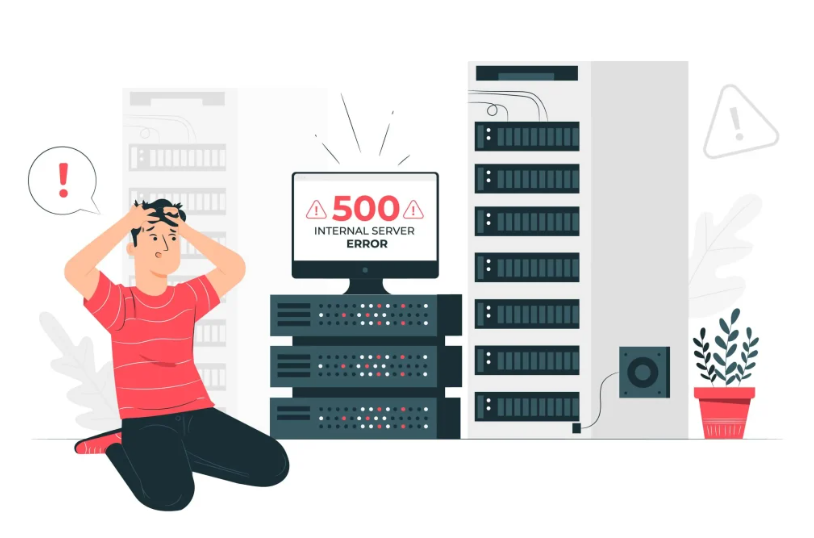
Server downtime is one such incident that no web site owner, web site developer, or business would ever want to plan but virtually everybody has experienced at one time or another. One second your site is up, it is serving the traffic, it is taking orders or serving contents. The following, that is utterly inaccessible. Time begins to run and the minute that one is not online may be revenue lost, reputation ruined and frustrated users.
Whether a small moment will turn into a small crisis or a major crisis is often determined solely by one factor: preparedness and speed of reaction. We have step by step defined what to do in case your server goes down in this guide, without panicking so that you can bring it up online as soon as possible and avoid the same occurrence in future.

Understand Why Server Downtime Happens
Knowing what you are dealing with before you can effectively respond is a good idea. Single cause of server downtime is seldom encountered. This is in most instances either under one of a number of categories:
- Hardware failure: Hardware devices hard drives, RAM, power supplies fail without notice particularly on old servers or shared web hosting system.
- Traffic peaks: Rapid increase in traffic usually as a result of a viral post or the introduction of a product may consume resources of the server and make it unresponsive.
- Software or configuration bugs: Bad update, misconfigured option or corrupt file may take down all applications or web servers.
- DDoS attacks: DDoS attacks overwhelm your server with requests and your server cannot serve the legitimate users.
Hosting provider problems: Sometimes it is not your problem, maybe there are problems in the infrastructure that your hosting company is having.
- Outdated certificates or domains: Your site may suddenly go dead, even when your server is not having any issues, because your SSL certificate has been renewed and the domain you are on has been expired.
The awareness of the type of problem one is in dictates the direction to take in the recovery process. The diagnosis stage should not be overlooked even in situations when there is an urgency to take a course of action.
Step-by-Step: Immediate Response
A formulated reaction will never fail when compared to a panicked reaction when there is a downtime. These are the steps to take so that you are likely to have a fast clean recovery.
Step 1: Determine the Downtime Is Real
Always check with the server before proceeding with any action and ensure that it is down and not a local problem on your part. The tool can be Down For Everyone Or Just Me (downforeveryoneorjustme.com), UptimeRobot, or you can just have someone in another place to verify that the site is up. Eliminating a local network or DNS problem on your computer spares you the hassle of working on the wrong problem.
Step 2: Monitoring Alerts Check
To investigate the warning as soon as possible in case you have server monitoring. Monitoring tools such as New Relic, Datadog, Pingdom, or your hosting dashboard will generally display the CPU utilization, memory usage, error logs, and at what time in the past the server was unreachable. This information reduces the cause by a great margin and conserves precious diagnostic time.
Step 3: Call Your Hosting Company
And in case you are in shared, VPS, or managed hosting, then immediately call the support team of your hosting company. Most reputable hosts have a publicly available incident dashboard, and should check their status page before proceeding. In case of a known outage on their side, you will no longer be doing the diagnosis and instead wait and communicate. Should it seem to be limited to your account, escalate with your server logs and the error messages that you gathered so far.
Step 4: Log in to the Server
When you operate your own server, try to either use SSH or your administration area. When SSH is not responding, try to connect to the server by using a rescue/recovery console that might be provided by your hosting provider. In the house, look into the following, in the following order:
- System resources: Run top or htop to determine whether a runaway process has brought about CPU or memory overload.
- Disk space: One of the most frequent reasons of a downtime is a full disk. Use df -h to check.
- Running services: Determine whether your web server (Apache, Nginx) and database (MySQL, PostgreSQL) are running with systemctl status.
- Recent logs: Check /var/log/syslog, /var/log/nginx/error.log, or similar, to find hints as to what went wrong and when.
Step 5: Start up Services or Reboot-Backup.
Having figured out the cause, do something about it. When a service has crashed, restart the service. In case something has been broken by a recent update, roll it back. In case of corrupted or missing data, then restore using your latest backup. This is when a good, tested backup system will be well worth the price.
Critical Reminder: Never restore a backup without first verifying it on a staging environment if time allows. A corrupted or outdated backup can compound the problem rather than solve it.

Communicate With Your Users During Downtime
Communication is one of the over-ignored factors in responding to downtime. Users that are not given any information will think the worst and might not come back. Even in a challenging situation, transparent and timely updates promote trust.
The following is an example of good downtime communication:
- Create a status page: A hosted status page (with services such as Statuspage.io or BetterUptime) is a place where you can leave updates that are available to users even when the rest of your site is not operational.
- Email update: In case you have a list of subscribers or customers, send a short message that notifies them of the problem, and gives an approximate time of fix.
- Post to social media: A brief post to X (Twitter) or LinkedIn lets followers know you are not ignorant of the problem, and are working on it.
- Tell the truth but not too much: Do not promise too long a fix time. A statement such as we are checking and will update you in an hour is good compared to a definite ETA which you are unable to stick to.
Do not go silent. Before you are able to complete the work behind the scenes, silence is always seen to mean incompetence or indifference..
After Recovery: Conduct a Post-Mortem
When your server comes back online and everything is proceeding as usual, don’t be tempted to just get on with it. It is in the post-mortem a systematic analysis of what went on and why that the real change over the long term is to be found.
An effective post-mortem must respond to the following questions:
- What was the cause of the downtime?
- What was the duration of the outage and how was it estimated to impact?
- What detection systems identified the issue and was it sufficiently quick?
- What were the actions to restore service and was it successful on the first attempt?
- How will this be changed to ensure that it does not occur again?
Write up this review and present it to your team. It is a good idea to write it down even by solo developers as it makes them be clear and have an effective reference to rely on in the future.
Key Insight: The best-run companies in the world experience server outages. What separates them is not the absence of problems — it is the speed and quality of their response, and their commitment to learning from each incident.
How to Reduce Downtime Risk Going Forward
Recovery is reactive. Prevention is proactive. When you have resolved the acute crisis, install the following measures to make the occurrence of future downtime events much less likely and less severe.
Invest in trusted Monitoring
Install uptime checking of your server with one to five minute checks and be notified instantly when something goes wrong. Monitors such as UptimeRobot (free version is free), Pingdom, or Better Uptime are easy to set up and support notifications delivered through email, SMS, or Slack. You should never find out your site is down from a customer.
Automate Regular Backups
The value of the backups is only in case they are up-to-date and checked. Automatically back up your files and database, preferably on a different location than your main server in a cloud storage bucket, e.g. Have at least one test of your restore process at least once a quarter to make sure that the backups are actually usable.
Use a Content Delivery Network (CDN)
A CDN redistributes your web content to a number of servers worldwide. Although your origin server may be hiccuping, a large number of CDNs can provide cached copies of your pages to users, keeping at least some part of them available. An example is Cloudflare, which has a free tier that offers significant protection and performance benefits.
Take into account a Failover or Redundancy Setup
In the case of business-critical applications, a multi-server architecture with automatic failover can be used. In case your main server is unavailable, your traffic is redirected to a backup instance. This has been made much more accessible to smaller teams with load balancers and managed cloud platforms like AWS, Google Cloud, or Azure, which were not as accessible as they are today.
Maintain Software and Dependencies
One of the most common reasons to have security vulnerabilities, as well as unpredictable crashes, is outdated software. Set a schedule where you update your operating system, web server, CMS and plugins on a regular basis and this time, test them in a staging environment and then roll out the updates to production.
Best Practice: Treat your server infrastructure like a vehicle. Regular scheduled maintenance costs a fraction of emergency repairs, and it keeps you in control rather than constantly reacting to crises.
Build a Downtime Response Playbook
The best thing you can do prior to the next outage occurring is to write a response playbook. This document must be available to your team even in the case where your own systems are offline in a shared cloud document, a physical printout or a group chat.
The following should be in your playbook:
1. Emergency contacts: Contact number of support of your hosting provider, key team members and any third-party service contacts.
2. Access credentials: Stored in a secure place (a password-saving manager), with clear instructions on how to access the server, the control panel and the DNS provider.
3. Standard recoveries: A sequence of instructions on how to resume services, roll-back and recover with a backup.
4. Communication templates: Pre-written messages on your status page, email list and social media so you do not have to create messages on the fly when you feel the pressure.
5. Escalation paths: Who does what, and who is called in case the initial responder is not able to solve the problem within a given period.
With this playbook, even a team member who has never had a server incident can take constructive and organized action. It eliminates guesswork at the best of times.
Final Thoughts
Sudden failures of servers are quite stressful, but, they do not have to be disastrous. By implementing a clear process of responding to incidents, open and truthful communication with your users and a desire to learn something out of every incident, you will be able to significantly decrease the number and the severity of outages.
The best businesses and developers to deal with downtime are those that have experienced it. It is they who have taken the time to prepare, who react swiftly and organizedly, and who use every incident as a learning experience on how to make the system stronger.
Monitor, protect yourself with backups, write down your response procedures and review all incidents with integrity. Routinely do the same four things and server down-time is no longer a crisis, but rather an event that can be handled, and recovered.
Recover quickly from sudden server downtime with OffshoreDedi resilient, high-availability infrastructure, get started today.