Understanding the Importance of Access Control
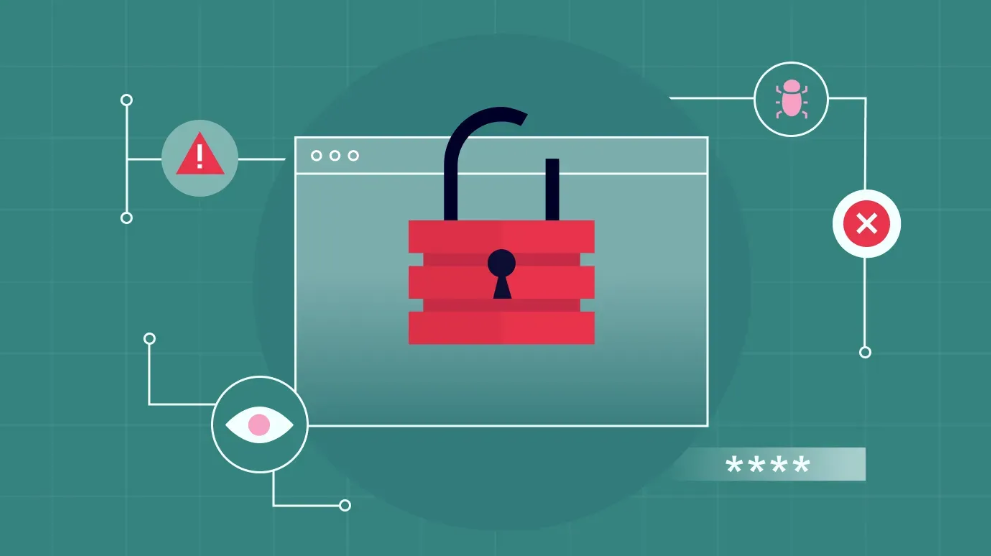
Access control ensures that only authorized individuals can access specific areas of your website. This prevents unintended changes, data exposure, or misuse by restricting access to trusted users. Strong access management is not just about avoiding malicious actions, but also about minimizing errors that can occur when too many people have unrestricted permissions.
Properly configured access controls enable you to define user roles and permissions, which helps streamline operations and enhances security. For example, giving limited access to contributors or team members prevents accidental changes to critical areas of your site.
In addition to user permissions, it’s essential to remain vigilant for signs of unauthorized access attempts. Unusual activity logs, failed login attempts, or unexpected changes could indicate vulnerabilities in your access control setup. Tools such as security plugins or built-in platform features can help monitor and strengthen access management.

Regularly Update and Secure Your Credentials
Strengthening your site’s security starts with using complex, hard-to-guess passwords. Include a mix of uppercase and lowercase letters, numbers, and special characters to create a password that’s not easily compromised. Avoid sharing personal information, commonly used words, or predictable sequences, as these can increase your account’s vulnerability to unauthorized access.
Equally important is updating your passwords regularly. The credentials may be compromised in the long term due to data breach or just leaked by mishap and therefore it would become a necessity to change them periodically. Strong protection can be ensured by setting reminders about updating passwords after every few months.
As a way of simplifying this task, you can use a trustworthy password manager. These utilities create and store sophisticated passwords, which are auto-filled, and the chance of using premium, repeating, or weak passwords is negligible. A password manager also minimizes the risk of forgetting your credentials by keeping them securely organized.
Utilize Two-Factor Authentication
Two-factor authentication (2FA) adds an essential layer of protection by requiring a secondary verification method in addition to your password. This secondary step significantly reduces the chances of unauthorized access, as an intruder would need both your password and the second form of verification to proceed. Typical forms of 2FA include one-time codes sent to your mobile device, email, or generated through an authenticator app.
To enable 2FA, start by checking your platform’s security settings. Most web-site management programs and hosting providers include conveniently implemented two-factor authentication (2FA), which is simple to configure and apply.
In case your platform does not have such an option, turn to the third-party Apps such as Google Authenticator, Microsoft Authenticator, or Authy. Such applications create timely authentication codes which are exclusive to your account to form an efficient method to improve your security.
For enhanced security, use two-factor authentication (2FA) not only for your primary admin account but also for any other accounts with elevated permissions on your site. This ensures that even if someone gains access to a secondary account, they still cannot bypass the additional layer of security.
When setting up 2FA, take extra care to securely store any backup codes or recovery options provided during the setup process. These codes are vital in case you lose access to your primary verification device, such as a phone. Keep them in a safe location, separate from your everyday devices of use, to ensure you can still regain access when necessary.
It’s also a good idea to periodically review your 2FA settings to ensure everything is up to date. For instance, if you change your phone number or switch devices, remember to update your 2FA settings accordingly to prevent disruptions to your login process.
Making this security measure part of your routine can go a long way toward protecting your site from unauthorized access attempts.
Maintain a Backup Admin Account
Establishing a backup admin account ensures that you have an alternative way to manage your site in case issues arise with your primary account. The second account would be in case of emergencies, like the case where a person forgets his credentials or he has temporarily locked himself out.
When creating a backup admin account, priorities security by using login credentials that are distinct from those of your primary account. Avoid reusing passwords or similar variations, as this could compromise both accounts if one is breached. Ensure that you activate two-factor authentication for the backup account, adding an extra layer of protection against unauthorized access.
Restrict the use of the backup admin account to essential situations only. Logging in regularly with this account increases the risk of it being exposed or compromised. Instead, focus on using it strictly for recovery purposes or for accessing the site in urgent scenarios. By limiting activity on this account, you minimize potential vulnerabilities.
Additionally, store the login information for your backup account in a secure location. Password managers are an excellent way to keep these details safely organized and accessible when needed. If you choose to document the credentials manually, ensure they are stored in a secure location that only you or trusted individuals can access.
It’s essential to periodically review the status and security settings of the backup admin account to ensure they remain up to date. Remove any permissions or roles that are no longer necessary and check that the two-factor authentication settings are still active and functioning correctly. If any recovery methods or contact details are associated with this account, confirm that they are accurate and current.
Keep Your Contact Information Updated
Maintaining accurate contact information is crucial for seamless account recovery and effective communication with your website platform or hosting provider. If you encounter a login issue or need to verify your identity, having current details ensures you can quickly complete the recovery process without unnecessary delays.
Review your admin settings regularly to confirm that your email address and phone number are correct and active. For an added layer of security, consider using a dedicated email address solely for managing your website. This reduces the likelihood of your recovery email being compromised through unrelated activities.
In addition to updating your primary contact information, ensure that any alternative contact methods or recovery options associated with your account are also up to date. This might include secondary email addresses or backup phone numbers. These can be especially helpful if your primary contact method becomes inaccessible.
Pay attention to notifications or alerts from your platform that request confirmation of your contact details. Not taking care of these hints may lead to distorted data in your account that may be a hindrance to the process of recovery subsequently.
Lastly, you should confirm with your hosting company or service to see whether any further security procedures are relevant to the details you provide. Some services allow you to set up alerts for account changes or suspicious activity, enabling you to act quickly if unauthorized access is attempted.

Regular Site Maintenance and Monitoring
Consistent maintenance helps ensure that your site runs smoothly and remains secure. Outdated software, plugins, or themes can create vulnerabilities that may be exploited; therefore, it’s crucial to keep everything up to date, before making updates, back up your site to avoid potential data loss or compatibility issues during the process.
In addition to updates, monitoring your site activity is an essential practice. Utilize logging tools or security plugins to track login attempts, changes made to the site, or other notable activities. You may review these logs on a regular basis and thus be able to notice unusual behavior, e.g. failed logins or unauthorized edits.
When these signs are dealt with early enough, then you will be able to ensure that minor problems do not turn into major ones.
Another important aspect about site maintenance is performance monitoring. Regularly check your site’s loading speed and functionality to ensure it provides a seamless experience for visitors. Performance is not only a user satisfaction issue but can go a long way to relieve any pressure on your sites resources which can help mitigate such vulnerabilities.
Schedule routine audits of your website’s security and functionality to catch any overlooked problems. Such audits may involve examination of user accounts to make sure, that the rights of these users are properly set and deleting of unused accounts which can be a source of security breaches. Also, verify the links or content not in date to have professional and trustworthy online representation.
Conclusion
To be more proactive one should include tools that notify about a certain problem, which can be malware detection, file integrity monitoring or unauthorized changes. Automation will save your time and also keep you updated about any important changes or threats, which you might need to take quick actions.
Finally, be sure to keep in close contact with your hosting provider. There exist a lot of hosting services who add extra monitoring solutions or security to your work. Make use of such resources in order to improve the general security of your site. With constant updates, control of performance and monitoring of the activities of the site, you build an active mechanism of protecting your site.