
Introduction to DNS and Downtime
A typical problem is server downtime that may cripple online operations and cost businesses a lot. The Domain Name System (DNS) is one of the important elements when it comes to keeping a site online. DNS is a translator that translates the domain names to IP addresses that the device understands to access the web servers. In the event of a problem with this system, it can result in connectivity problems and websites will be unavailable.
Although it is relevant, DNS is frequently neglected when it comes to the diagnosis of server outages, in part, because its problems can be manifested in many different ways, that can be similar to other networking problems. Nevertheless, it is necessary to know how DNS can be used to link the user to the online services to be able to speedily discover and resolve the root cause of the downtime. Businesses can learn to identify DNS problems signs by understanding the potential problems in advance before they get out of control and affect the user access.

Common DNS Problems
There are many ways that DNS problems might occur, but they usually are as a result of configuration problems or server failures. One of the most common issues is misconfigured DNS settings. These errors can be made due to the wrong entries, outdated entries, or improper updates. The slightest errors, such as the absence of a single character or incorrect IP address, might disrupt the resolution process and make users unable to access the desired site.
The other frequent problem is that of DNS server outages. These failures can be caused by failure of hardware, software bugs or even by cyberattacks such as DDoS attacks to DNS infrastructure. In cases where the DNS servers are not available, users that are trying to resolve domain names will get errors because they are not able to get the IP information, they are required.
There are also problems with propagation delays and especially when DNS changes are initiated. Changes in the DNS records take time to spread to the entire network and in the process some users may still access the old information. This transient indeterminism may result in loss of access or redirect users to a different server.
DNS Cache Problems
The DNS caching is aimed at enhancing efficiency but in some cases, it causes problems. Stored DNS records may get older and result in users getting the wrong IP addresses in case there has been a modification to the DNS records of a domain. This may pose a particular problem to areas that have just moved to new servers or those that have just changed their settings.
Other possible problems include DNS spoofing or poisoning. In these scenarios, bad actors exploit the DNS cache, and send users to fake websites. This has not only an effect on access, but also exposes sensitive user information.
Finally, lack of DNS redundancy may make the problems worse. In the absence of back up DNS servers, any failure in the system at one location can cause massive failures and users cannot access the preferred online locations.
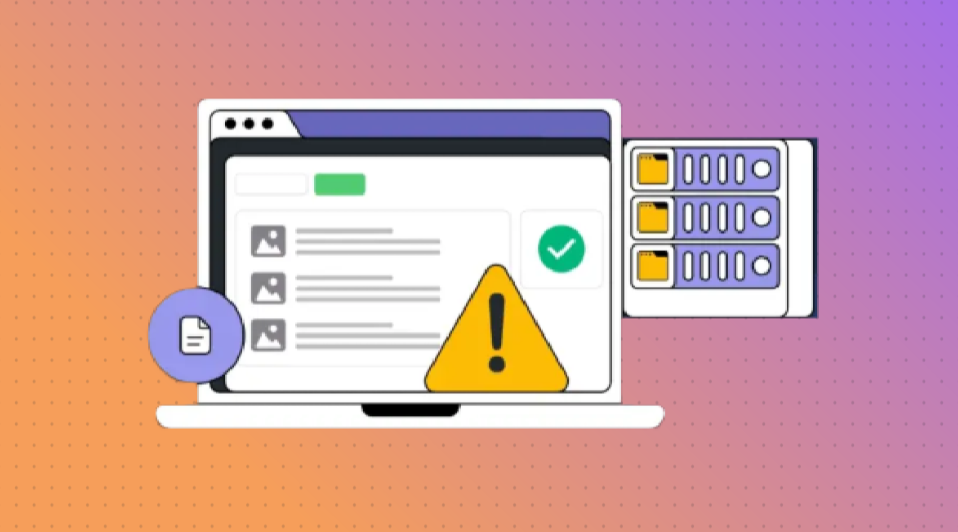
Identifying DNS as the Cause
The first step to understanding whether DNS is causing the downtime of the servers is to notice the error messages users are receiving. The user messages that suggest a problem with DNS are like DNS server not responding, or unable to resolve host. These hints are capable of reducing the area of inquiry.
Secondly, check the DNS functionality using diagnostic tools. To identify if the domain name is resolving to the appropriate IP address, running such commands as nslookup or dig can be useful. When these tools do not get the right information or produce an undesired outcome, then it is likely that DNS is adding to the downtime.
The other mechanism to check that DNS servers are online is to check that you can ping or traceroute to ensure that your system is linked to the DNS infrastructure. Difficulty in connecting to the servers themselves might be an indication of an outage or misconfigurating. To continue analyzing, it is recommended to query particular DNS record types, e.g., A, MX or CNAME records, to make sure they are resolving as desired.
The other handy thing to do is to flush local DNS caches on affected systems. Cached data can also cause inconsistencies, and therefore, refreshing this data could be helpful in eliminating temporary caching problems. In case the connectivity is restored after clearing of the cache, then it might not be the DNS servers but the local information that is obsolete.
Lastly, compare inter-device/network results. If only certain users or regions experience issues, it could indicate propagation delays or regional DNS disruptions. A close examination of these trends will ensure that you can establish whether it is DNS that is at fault causing the downtime and what area exactly needs attention.
Steps to Diagnose DNS Issues
Begin with testing DNS resolution using such tools as nslookup or dig. The commands are used to check the operation of domain names resolving to the correct IP addresses. When the output has an incorrect or absent IP address, then this depicts a possible problem with the DNS that requires further research.
Test the availability of your DNS servers by verifying their availability. See if your network is connected to your DNS servers by using ping or traceroute. Any disruptions or malfunctions in these tests might indicate server availability issues or problems with the network and its impact on the performance of DNS.
Check your DNS server logs to see abnormalities or errors. These logs can be used to give information on queries that have failed, misconfigurations or security attacks that may be causing disruptions. Find common occurrences or certain events which coincide with the timing of the downtime.
Test the correctness and accuracy of your DNS entries. Ensure that all records, such as A, MX, CNAME and TXT records are set properly and directed towards their destinations. Any difference or inaccuracy in these records may result into inappropriate resolving and interconnection difficulties.
Clear DNS caches on server as well as the client to assure that incorrect or outdated information is not a problem. There are cases of data stored in a cache that may not expire as intended hence conflicting with or inconsistent domain resolution.

Diagnosing DNS Issues
Test resolution at various locations around the globe using online DNS monitoring tools or services. This will assist in determining whether the issue is confined to certain areas or more general. It is also able to identify propagation delays or discrepancies between various DNS servers.
In case your domain is served with DNS third-party services, be sure to verify with the provider that their infrastructure is operational. Incidents or outages on their part could be affecting the resolution of your domain.
Lastly, test other DNS settings, e.g., switching to a public DNS server, e.g., Google Public DNS or Cloudflare, to find out whether the problem still occurs. This action can assist in finding out whether the issue is with your main DNS provider or local network.
Preventing DNS-Related Downtime
In order to minimize the amount of downtime caused by DNS, some steps need to be pre-taken to minimize the potential vulnerabilities. The first step is to regularly audit your DNS settings to ensure that all the records are right and up to date according to your requirements. Old or incorrect information can lead to mistakes in resolutions, so it is essential to maintain the data properly to prevent needless inconvenience.
Another important measure is investing in DNS redundancy. With the establishment of multiple DNS servers, you have an automatic backup that ensures that resolution can still go on in case of problems with one of the servers. This minimizes the chances of the entire system going down and enhances system reliability.
By use of DNSSEC (Domain Name System Security Extensions), malicious attacks such as DNS spoofing can be prevented. DNSSEC provides an additional authentication mechanism to guarantee integrity of DNS queries and responses by making sure that the source is verified. This feature could be turned on to prevent tampering of your domain, as well as unauthorized redirects.
DNS Performance Management
Real-time DNS monitoring enables you to detect and resolve problems before they get out of control. The measurements that can be monitored using monitoring tools include response time of queries, server availability and error rates. You can be notified of anomalies and potentially react quickly and avoid potential downtime.
In the case of businesses that depend on third-party DNS providers, it is essential to check on the reliability and performance track record. By cooperating with an established provider who has a good infrastructure and support, the company would have its services at all times and reduce the possibility of external interference.
One way of protecting against attacks of high volumes like DDoS attempts will be to rate limit your DNS servers. This will limit the number of requests that are served by a server in a specific period of time and avoid overload and ensure that the server functions as intended by regular traffic.
Lastly, develop a strong backup and recovery plan of your DNS infrastructure. This is because in case of failure, then you can quickly get a service back without having to wait long. By planning ahead, the chances of experiencing DNS-related problems affecting your operations will be greatly minimized.
Conclusion and Best Practices
In order to have a stable online presence, it is necessary to resolve DNS problems in a quick and efficient manner. The proactive steps that can be taken to ensure your DNS infrastructure is resilient are regular monitoring, and redundancy. Monitoring tools can provide early alerts on abnormalities and action can be taken in response to potential problems before it escalates. Also, redundancy by use of multiple DNS servers reduces dangers of central points of failure, increasing system reliability.
To prevent malicious actions, like spoofing, with the help of DNSSEC, is a valuable security measure, which helps to keep your domain secure against unauthorized alterations. On the side of caution, it is advisable to test the performance and reliability of any third-party DNS services that you may be using to ensure that they all operate at an equal pace.
A recovery and back-up strategy is also devised which assists in ensuring a quick recovery in the event of unforeseen disruptions. Audits of DNS records periodically also contribute to accuracy and avoiding access problems due to obsolete entries. All these measures would help in a smoother resolution process and lower the chances of a downtime.
In the end, proactive DNS management is the way to ensure that the businesses can provide their users with continuous service. Building a solid infrastructure, effective security standards, and real-time monitoring of performance is a reliable basis to your online business. These best practices should be prioritized to help you reduce risk, protect connectivity and ensure trust and satisfaction of your user base.
Don’t let DNS failures take your servers offline. Choose OffshoreDedi for stable, high-performance hosting today.